
Section 06 · Watching the Climb
06Email Reports & the Team Inbox
Email is a big part of the modern Trailhead, and the CRM gives leaders two tools for it: a reports view that shows how the team's outreach is performing, and a shared Team Inbox for making sure nothing waits too long for a reply. This section covers both.
Email Reports
Open Email Reports (visible to leaders with team-wide email visibility). Choose a window — 7, 30, or 90 days — and read the headline metrics: messages sent and received, reply rate, median response time, and open/click rates when tracking is on.
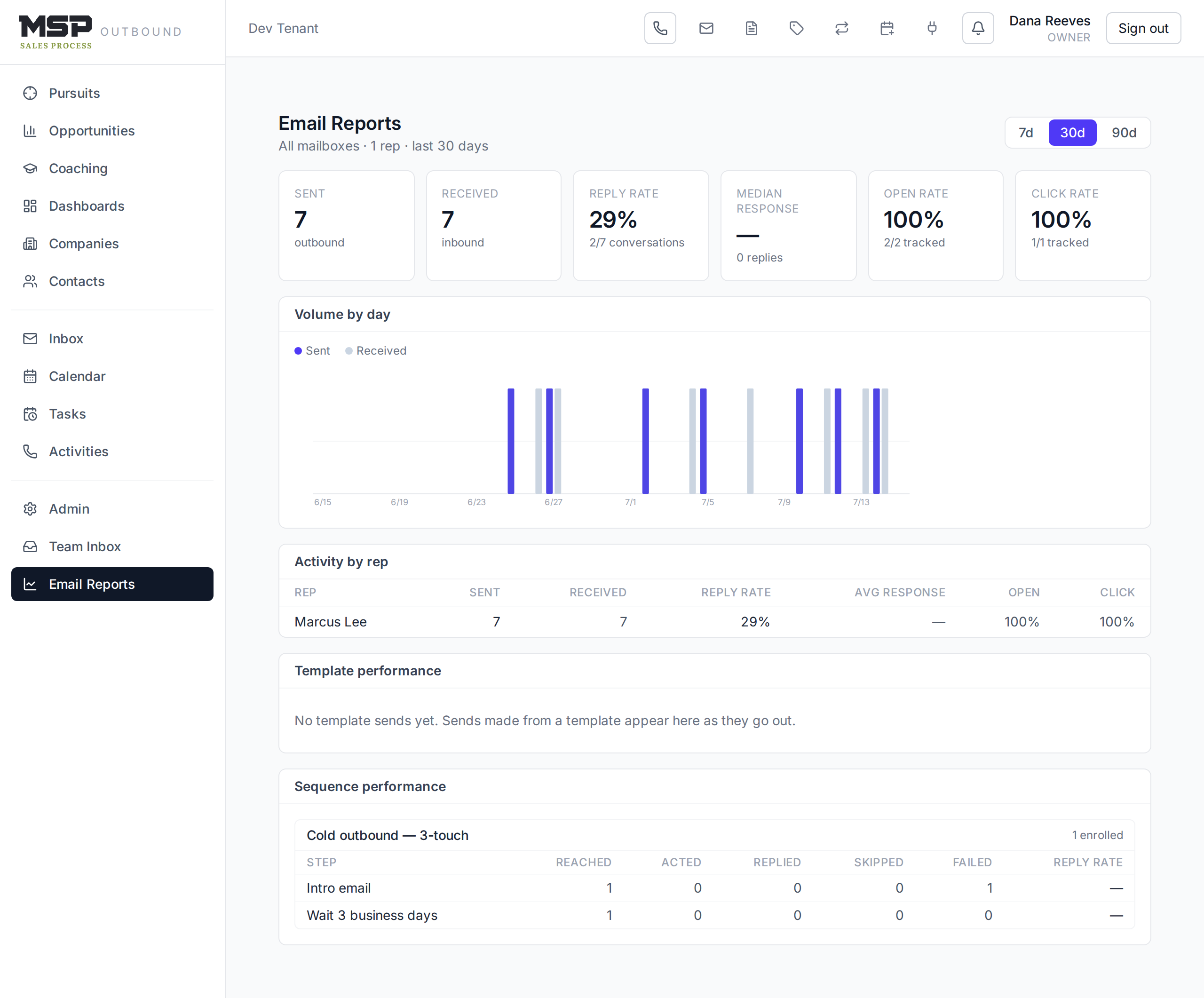
Figure 6.1Email Reports. Activity by rep, template performance, and sequence performance sit below the tiles.
Three tables turn the numbers into coaching:
- Activity by rep — volume, reply rate, and response time per person. Low volume or slow response is a discipline conversation; low reply rate is a messaging one.
- Template performance — which templates actually earn opens, clicks, and replies. Promote the winners; retire the duds.
- Sequence performance — how each cadence performs step by step, so you can see where prospects drop off.
Good to know
Open and click rates only appear when your organization has enabled tracking (Section 10). Treat them as directional — modern mail clients inflate opens — but reply rate is always solid, and it's the number that matters most for outreach.
The Team Inbox
The Team Inbox is a shared view of conversations across the team, built so no prospect email slips through the cracks. It shows who a conversation is assigned to, whether it's open or handled, and an SLA clock — a target reply time in business hours.
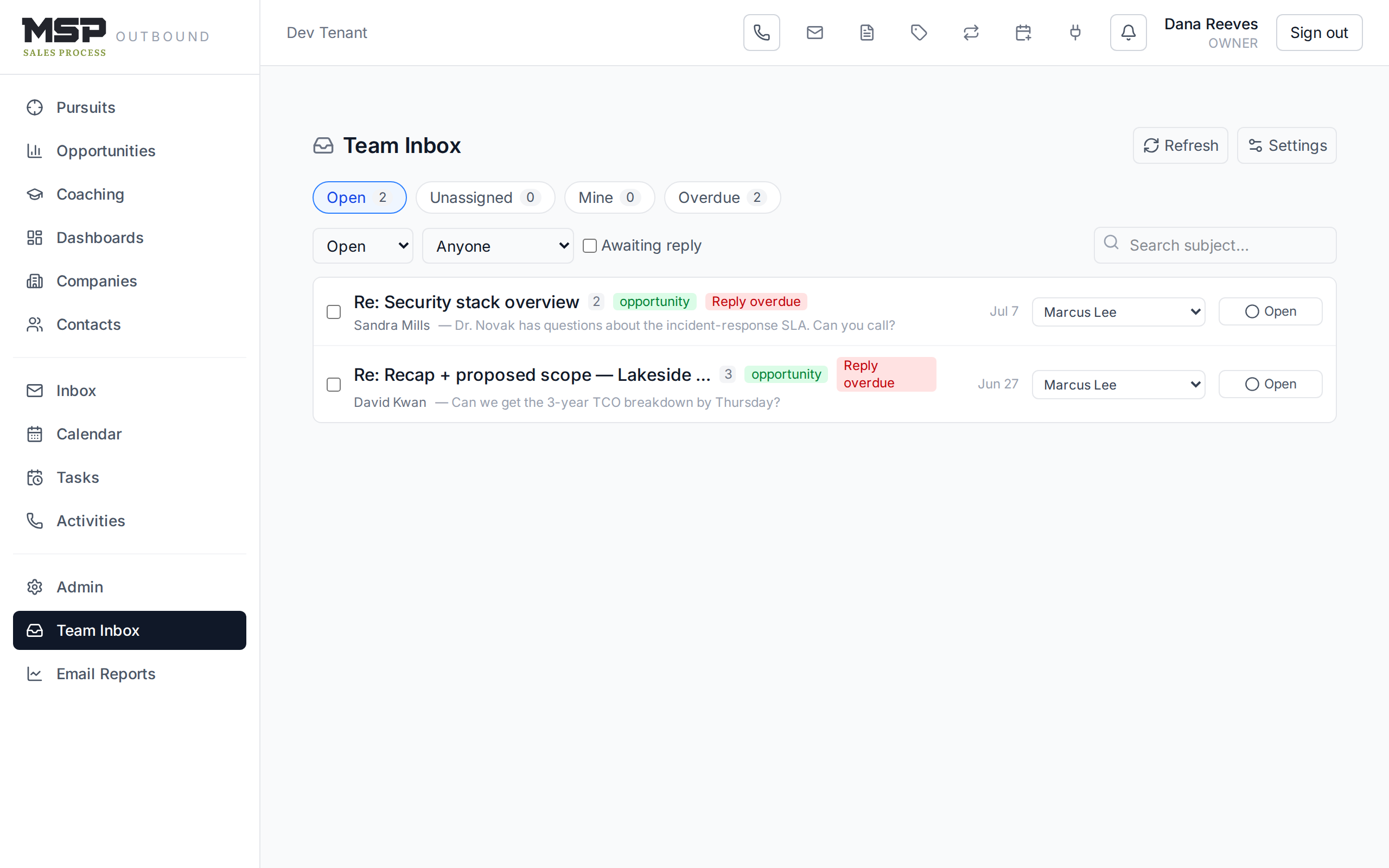
Figure 6.2The Team Inbox. Red "Reply overdue" chips are where to look first.
Quick filters up top — Open, Unassigned, Mine, Overdue — let you triage in seconds. You (or a manager) can assign a conversation to a rep, mark it handled, or use Round-robin assign to distribute a batch of unassigned threads evenly.
Setting the SLA and round-robin
Click Settings in the Team Inbox to set the reply-time target (in business hours) — an organization default, with optional per-team overrides — and to turn on round-robin auto-assignment for a team. When a conversation breaches its SLA, the assignee is notified.
The method in the tool
Inbound is warmer, not exempt — and it's perishable. A fast, professional reply is part of the method's web-form and inbound play. The Team Inbox turns "reply quickly" from a hope into a measured, assignable standard.
The bottom line
Measure the outreach; guarantee the replies.
Email Reports tell you what's working across the team; the Team Inbox makes sure every prospect email gets answered on time. Together they keep the email side of the Trailhead honest.