
Section 11 · Running the System
11Telephony Administration
The dialer your reps use is powered by phone numbers Fox & Crow provisions for you. The Telephony page is where those numbers are managed and where one important legal decision lives: whether calls are recorded. This section covers both.
Where it lives
Go to Admin → Telephony. This page is available to users who can see cost information (typically the Owner). It has three parts: call recording, rep numbers, and owned numbers.
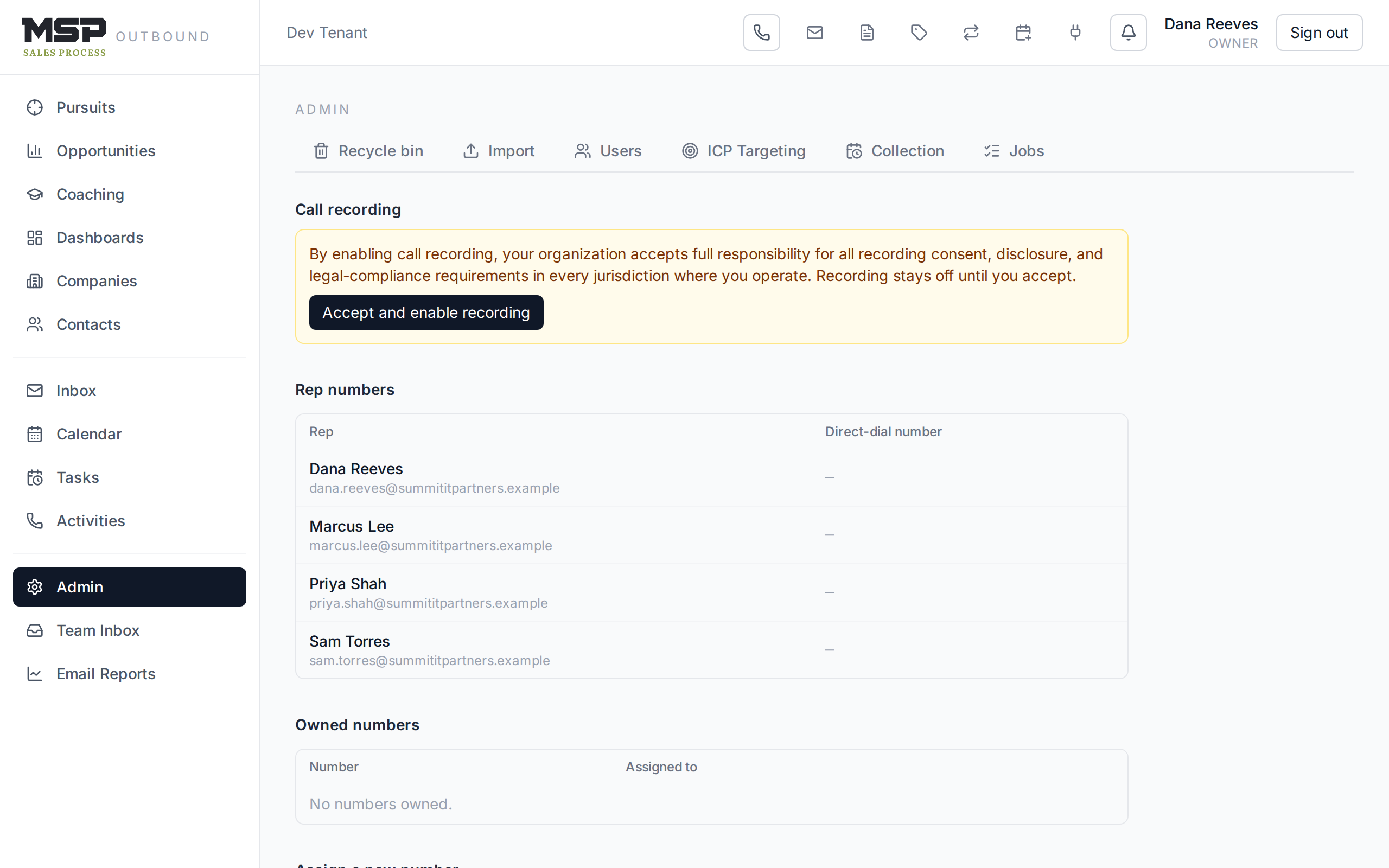
Figure 11.1The Telephony page. Recording is off until you explicitly accept responsibility for it.
Call recording — a legal decision
Recording is a single organization-wide setting, and it stays off until you turn it on. Enabling it requires accepting a notice that your organization takes full responsibility for all recording consent, disclosure, and legal-compliance requirements in every jurisdiction where you operate.
Read before enabling
Recording law varies by state and country — some require all parties to consent. Recording is what powers call coaching (Rep Guide §13), so most teams want it on — but that's your organization's decision to make with your own legal guidance, not a default we set for you. Turn it on only when you're confident you're compliant.
Phone numbers
Two tables show your numbers: rep numbers (each rep's direct-dial line) and owned numbers (everything in your account, assigned or spare). You can release a number you no longer need. New numbers can be searched by area code and assigned to a rep; buying one is inexpensive (about a dollar a month each).
Fox & Crow runs the phone system
The underlying phone platform is set up and billed through Fox & Crow — you don't create an account with a phone provider or manage carrier settings. Your reps' initial numbers are provisioned during onboarding. You'll mainly use this page to add a number for a new hire or release one when someone leaves.
If a rep says the dialer isn't working
The most common issue is a rep whose number hasn't been assigned yet — their dialer shows "No number assigned." Check the rep numbers table here and assign them one, or contact Fox & Crow if you're out of spare numbers.
The bottom line
We run the phones; you own the recording decision.
Numbers are provisioned and billed for you. The one call to make yourself is recording — enable it deliberately, with your compliance obligations in mind, to unlock call coaching.