
Section 08 · Running the System
08The Lead Engine
The CRM can fill the top of your funnel automatically — finding businesses that match your ideal customer profile and adding them as Suspects for your reps to work. This section covers defining that profile, running and scheduling collection, and watching the jobs that do the work.
Define who you're selling to: ICP Targeting
Go to Admin → ICP Targeting. An ICP profile describes a good-fit prospect — the industries, the size range, and the geography you want. Active profiles both drive automated lead discovery and score every company for fit (the ICP badge your reps see).
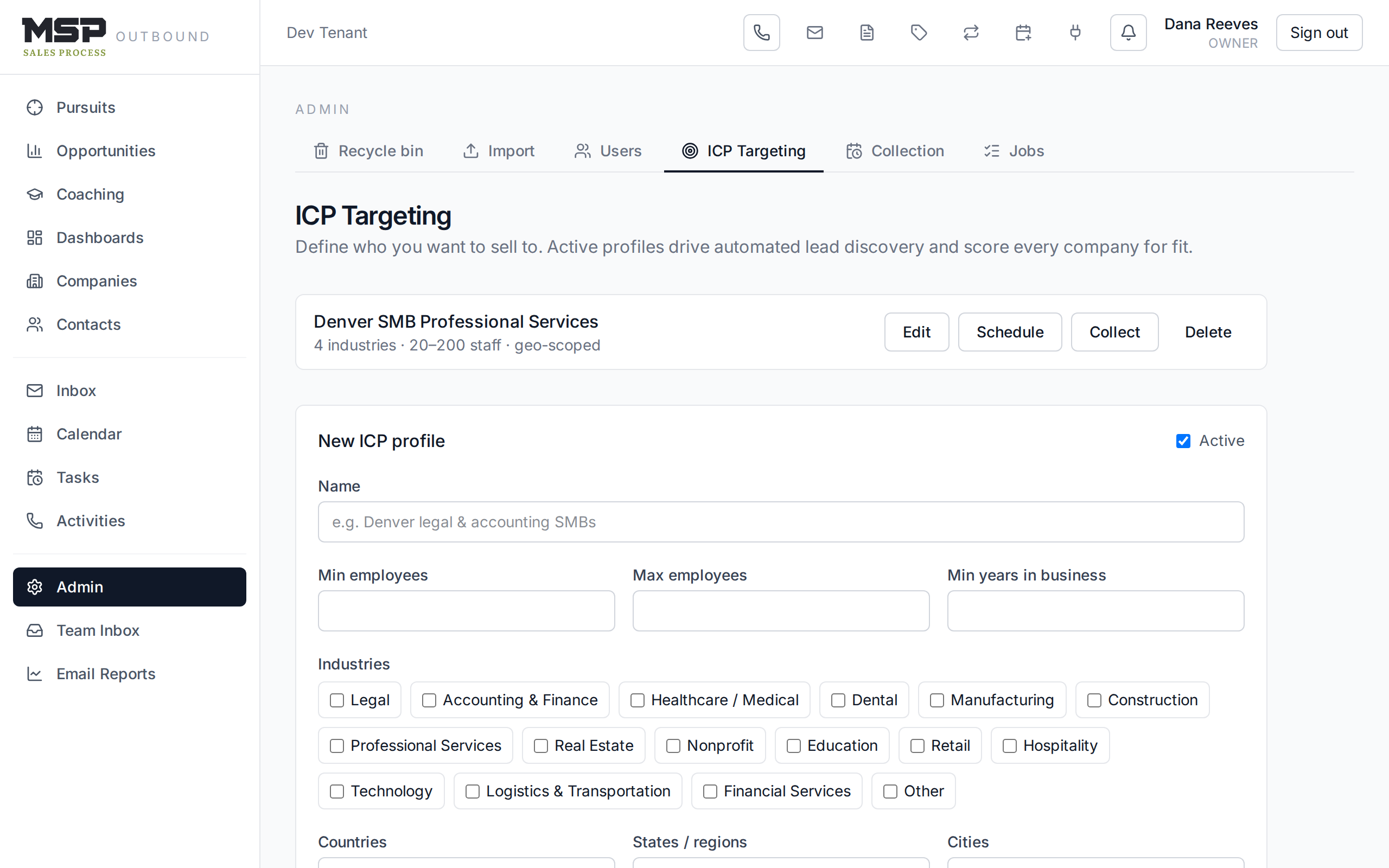
Figure 8.1An ICP profile. Set industries, employee range, geography, and exclusions.
To find leads on demand, use the Collect form on a profile: set a maximum number of leads, choose whether it's a dry run (a preview that inserts nothing) or a live run, and optionally auto-enrich the results. Discovery works by scanning business listings and classifying each company's website against your profile.
Fox & Crow sets this up with you
Your first ICP profile is usually built together during onboarding — getting the industries and geography right matters, and it's easy to get help. Once it's dialed in, you run collection yourself.
Schedule weekly collection
On a profile, the Schedule form turns on automatic weekly collection: how often to run, how many leads per run, how many territory areas to cover, and whether to auto-enrich. A coverage bar shows how much of your territory has been worked, so runs rotate across your geography rather than hammering the same zip codes.
Guard the shared resources: Collection settings
Admin → Collection holds tenant-wide guardrails. The usage card shows this month's vendor-call consumption against hard ceilings that protect the shared data accounts (these aren't adjustable — they exist to keep costs sane). You can set a weekly lead ceiling — the most Suspects to insert per week across all scheduled profiles.
Watch the work: Jobs
Every collection and enrichment run is a job. Go to Admin → Jobs to see each run's status — queued, running, succeeded, partial, or failed — along with how many companies it discovered, inserted, and skipped.
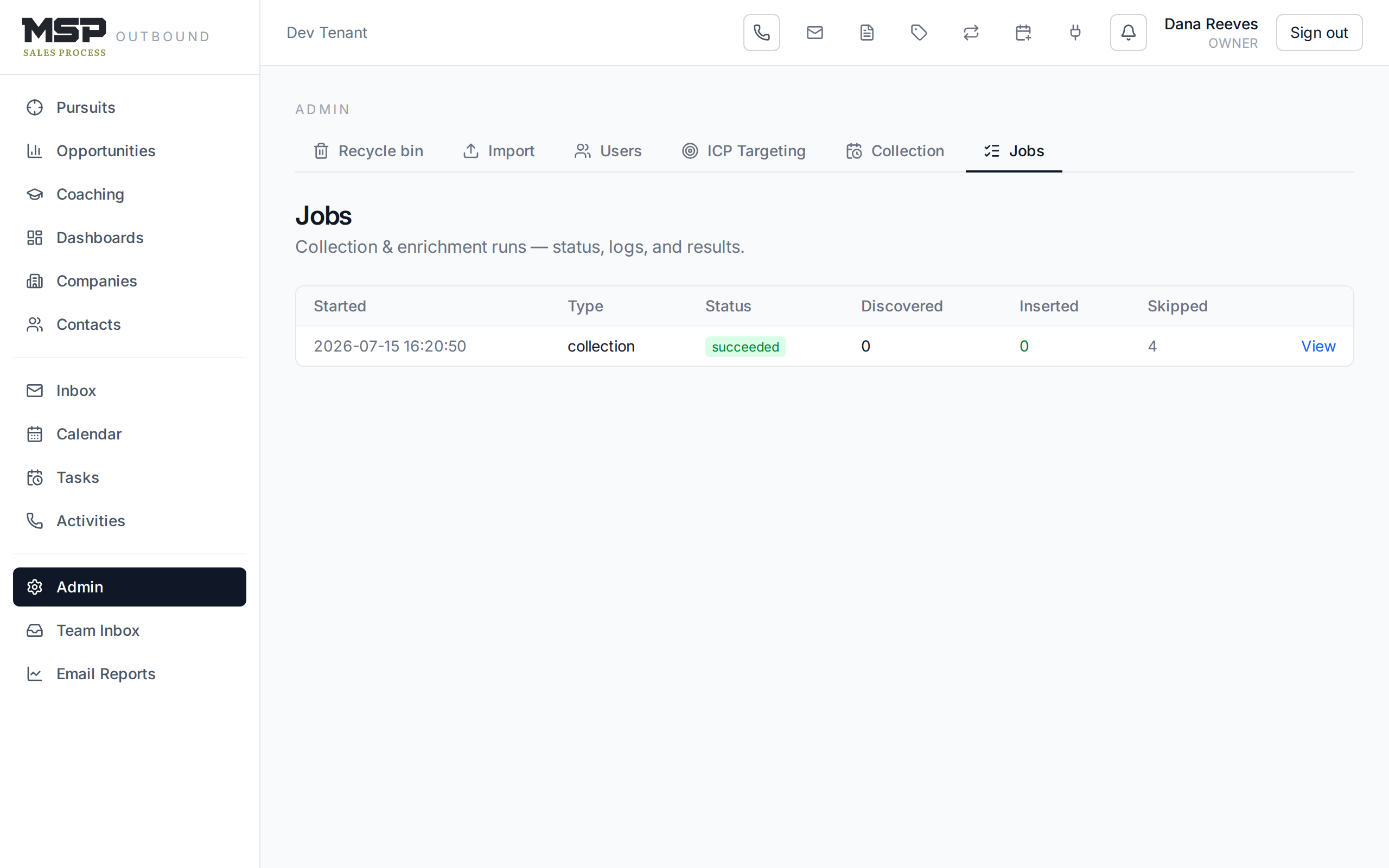
Figure 8.2The Jobs list. Open any job for a live log and the list of candidate companies it found.
Open a job to watch its log update live and to review the candidates it found — which were inserted, which were skipped, and why. It's the audit trail for where your fresh leads come from.
Good to know
Automated collection produces Suspects, not qualified leads — the raw top of the funnel. Roughly a third of any list is noise, exactly as the method warns. Your reps still qualify by phone; the engine just makes sure they always have the next fifty numbers to dial.
The bottom line
Define the target; let the engine fill the funnel.
A good ICP profile plus a weekly schedule keeps Suspects flowing, within guardrails that protect cost. Watch the jobs to know your leads are real and your territory is covered.