
Section 04 · The Trailhead in the CRM
04The Funnel & the Gates
Every company in the CRM sits at exactly one stage of the funnel, and it can only move forward when the facts that define the next stage are actually captured. Those checkpoints are called gates. This section explains each stage, what its gate requires, and how the tool shows you what's still missing — so you always know the one thing standing between you and the next step.
The stages
A company moves through these in order. It can always slip back a stage (a lead goes cold, you re-open it later), but it can never skip ahead.
| Stage | Means |
|---|---|
| Suspect | A name that might be a fit. Nothing confirmed. |
| Prospect | Fits the basic profile: right industry, size, and location. |
| Qualified Prospect | You know the facts that make this worth an appointment. |
| Qualified Opportunity | The First-Time Appointment is booked. Active selling begins. |
| Closed Won / Closed Lost | The deal is decided, with the reason recorded. |
| Disqualified | Not a fit — set aside with a reason, on purpose. |
The gates — what each stage requires
The CRM promotes a company automatically the moment its gate is satisfied, so your job is simply to capture the facts. Here's what each gate checks.
Suspect → Prospect
Confirm it's the right kind of business:
- Industry is set
- Location is set (city, state/region, or country)
- Staff count is 20 or more
These come straight from list data — no phone call needed. The "20 or more" line is the size floor from the Intensive: most businesses find real value in managed IT once they're a team of twenty.
Prospect → Qualified Prospect
This is the big one — the gate that separates a guess from a real opportunity. You must know:
- Number of staff, endpoints (computers), and office locations
- How they get IT support today
- A decision-maker contact — with a name and a title
And, for a company with an outside IT provider, three more:
- Their current provider's name and contract end date
- The relationship health, on a 1–10 scale
- At least one real pain point (anything other than "none disclosed")
The method in the tool
This is the qualification you drilled in the Intensive, turned into a checklist. The facts must be known — learned from a human, usually the gatekeeper — not guessed. When they're all in, the company becomes a Qualified Prospect on its own.
The co-managed exception
If a company's IT is run by an internal person or team, the CRM skips the provider name, contract date, relationship health, and pain requirements — there's no incumbent to displace. You still need the size facts and a known decision maker. As the qualification panel puts it: once the decision maker is known, approach them to book the FTA.
Qualified Prospect → Qualified Opportunity
There is exactly one way through this gate: book the First-Time Appointment. You cannot move a company to Qualified Opportunity by editing its stage — the CRM only advances it when you complete the FTA-booking flow (covered in Section 08). This is the hard line from the method: a reply is not the climb; the appointment is.
Seeing what's missing: the Next Gate panel
Open any company and look at the Overview tab. The Next gate card tells you three things at a glance: whether the company is ready to advance, a recommended next step, and a checklist of exactly what's met and what's still missing.
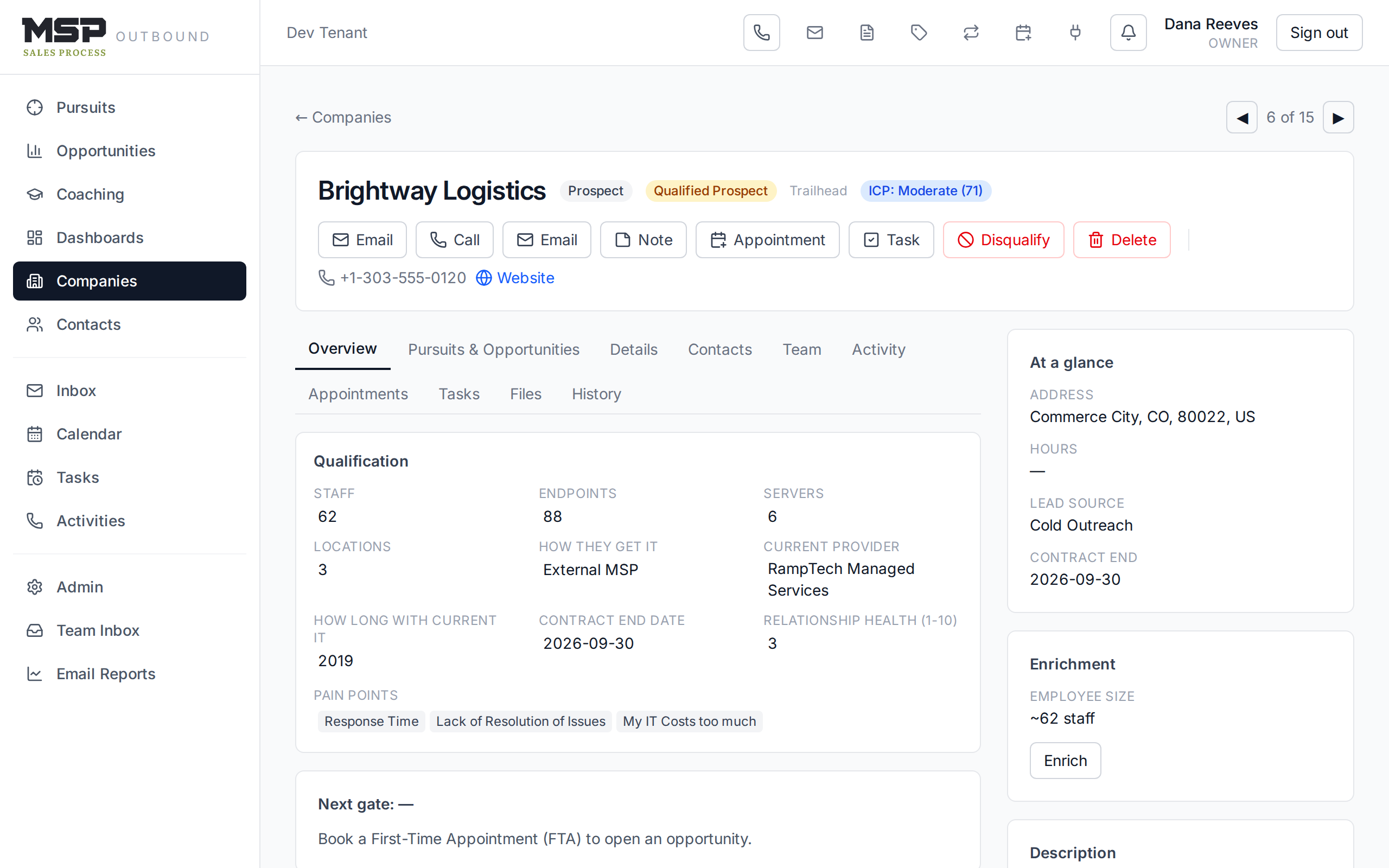
Figure 4.1The Next gate card. Green means met, amber means missing — and the card names the next move.
Disqualifying — a decision, not a failure
Setting a lead aside cleanly is part of the discipline (not our mountain to climb). Click Disqualify on the company. The CRM requires three things so the decision is recorded properly:
- A reason. What you learned that ruled them out.
- A company type. Not a fit, competitor, vendor, partner, former client, or out of business.
- An employee count. So the record is complete even in the "no."
You can also link the activity that told you — the call or email where you learned it.
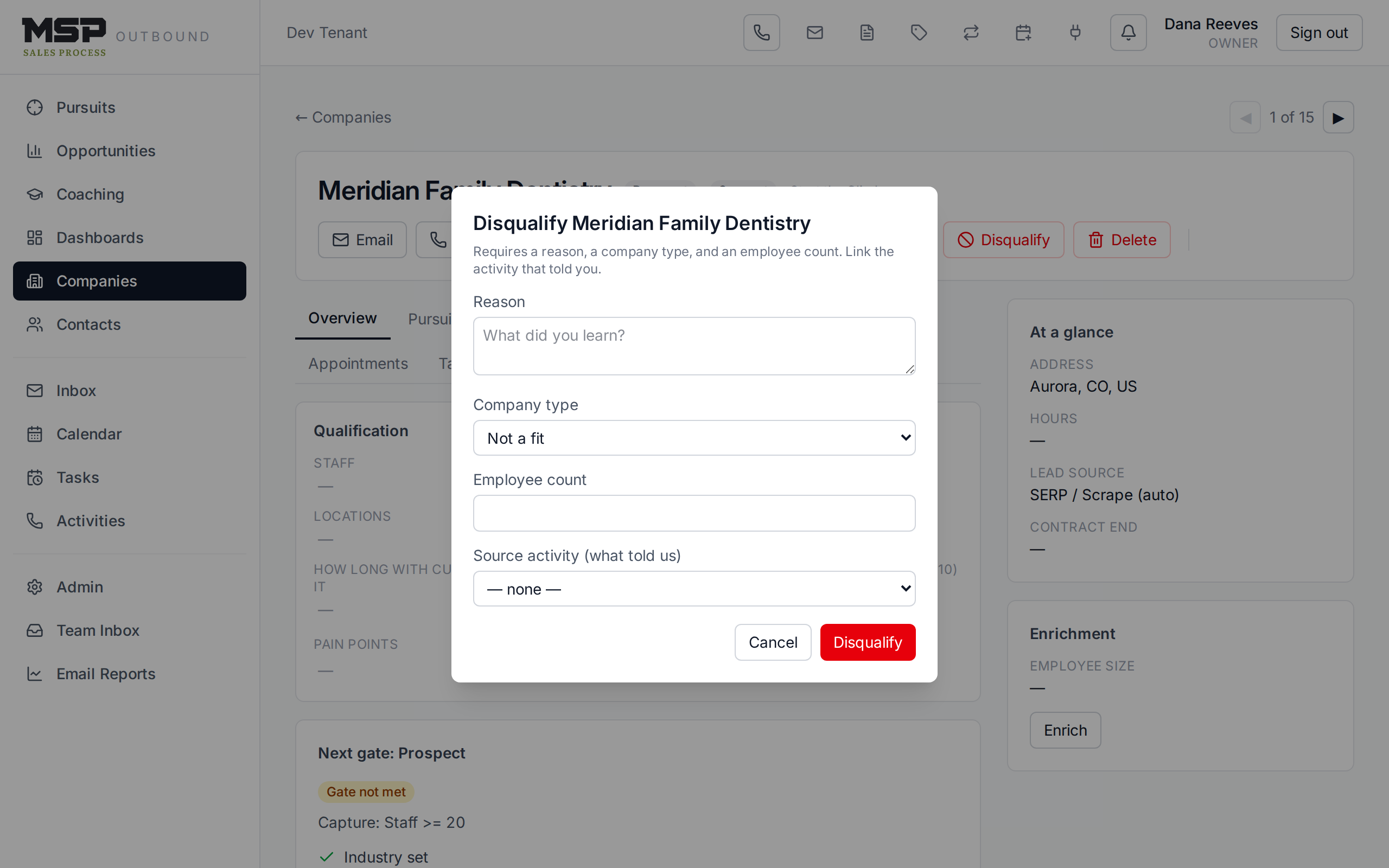
Figure 4.2Disqualifying a company. A clean "no" keeps your funnel honest and your reporting accurate.
The bottom line
Capture the facts; the CRM moves the lead.
You don't drag leads up the funnel — you record what you learn, and the gates advance them. The one exception is the FTA: that's earned on the phone, then booked in the tool.