
Section 09 · The Climb
09Opportunities & Pipeline
Once the FTA books, the account has a deal — an opportunity — and you're on the Climb. This section covers the deal's stages, the three ways to view your pipeline, how to capture what you learn in discovery, and how to close a deal cleanly with the reason recorded. This is the Switchbacks, the Ridgeline, and the Summit Push, in software.
The deal stages
An opportunity moves through four working stages, then closes. Each maps to a zone of the mountain:
| Deal stage | Mountain zone | What's happening |
|---|---|---|
| Discovery | Switchbacks | Diagnosing the real problem, impact, and stakeholders. |
| Value Proposition | Ridgeline | Mutual qualification; building and framing the solution. |
| Closing | Summit Push | Proposal, money, and commitment. |
| Closed Won / Closed Lost | Plant the Flag / Descent | Decided, with a recorded reason. |
Three ways to see your pipeline
Open Opportunities and switch between three views with the toggle at the top:
- List — the filterable table, good for working through deals one by one.
- Board — a kanban with a column per stage; drag a card to move a deal.
- Forecast — the numbers: open pipeline, weighted forecast, won value, and win rate.
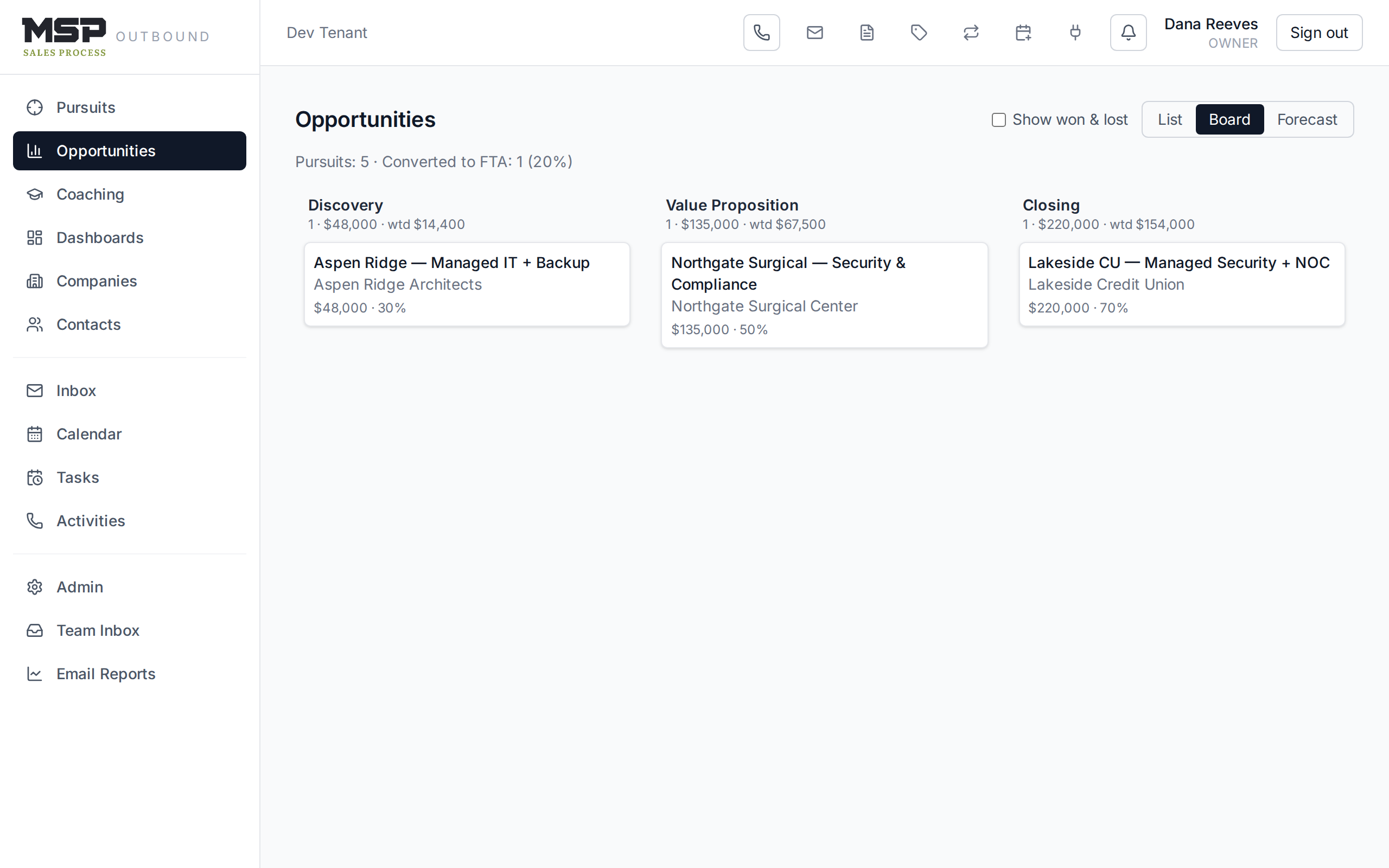
Figure 9.1The pipeline board. Each column header totals the deals, their value, and the weighted value.
By default the board and list hide closed deals; tick Show won & lost to include them.
The opportunity record
Open a deal to find its Pipeline card (stage, value, probability, and expected close date — all editable in place), the qualification panel, the contacts on the deal, its activity, related emails, and the discovery capture.
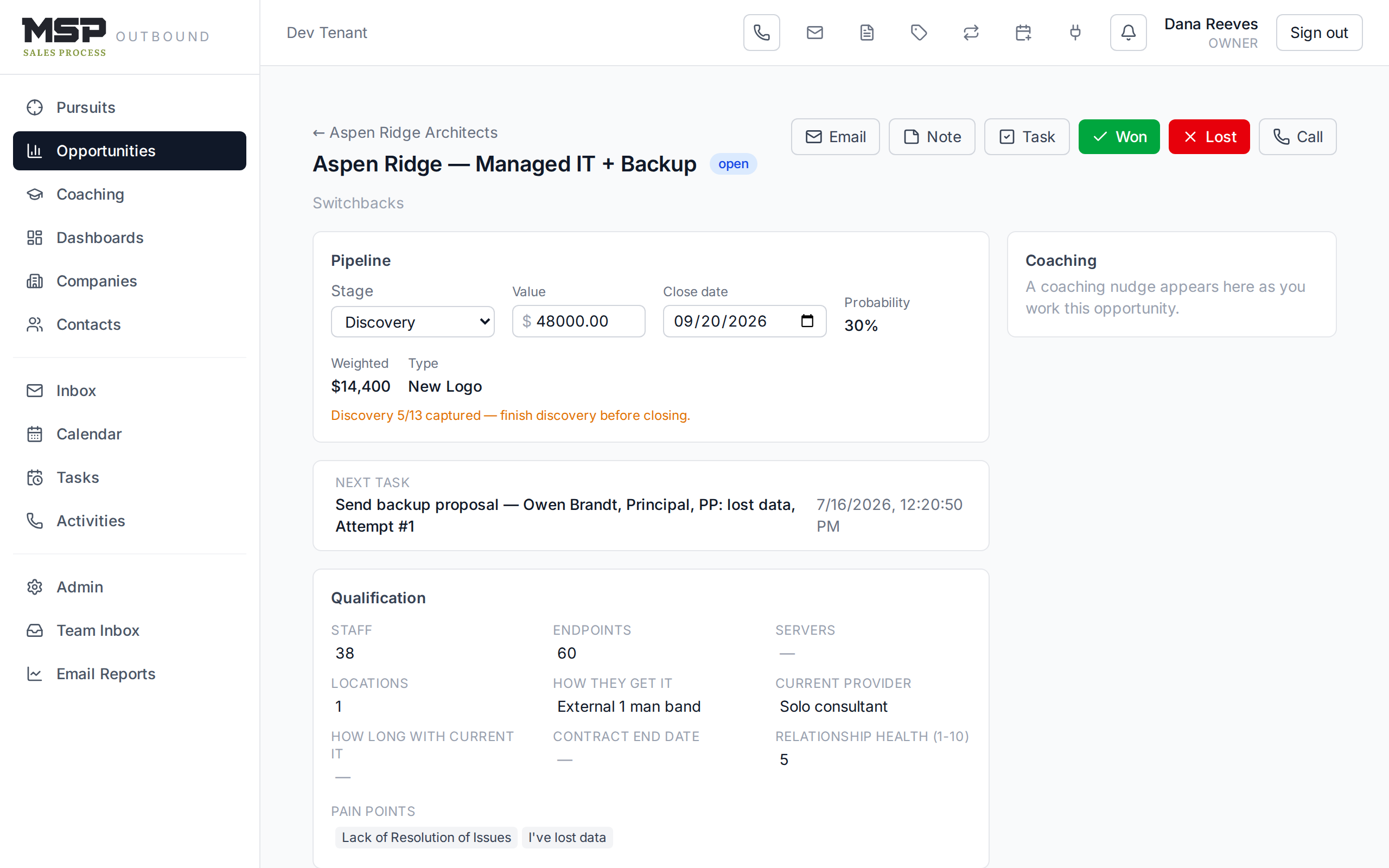
Figure 9.2A deal record. The header carries Won and Lost buttons while the deal is open.
Capturing discovery
The Discovery tab is where you write down what you learn — the 13 elements the method asks you to uncover, from the real problem and its cost to the stakeholders, the decision process, the timeline, and the budget. A progress bar shows how much you've captured.
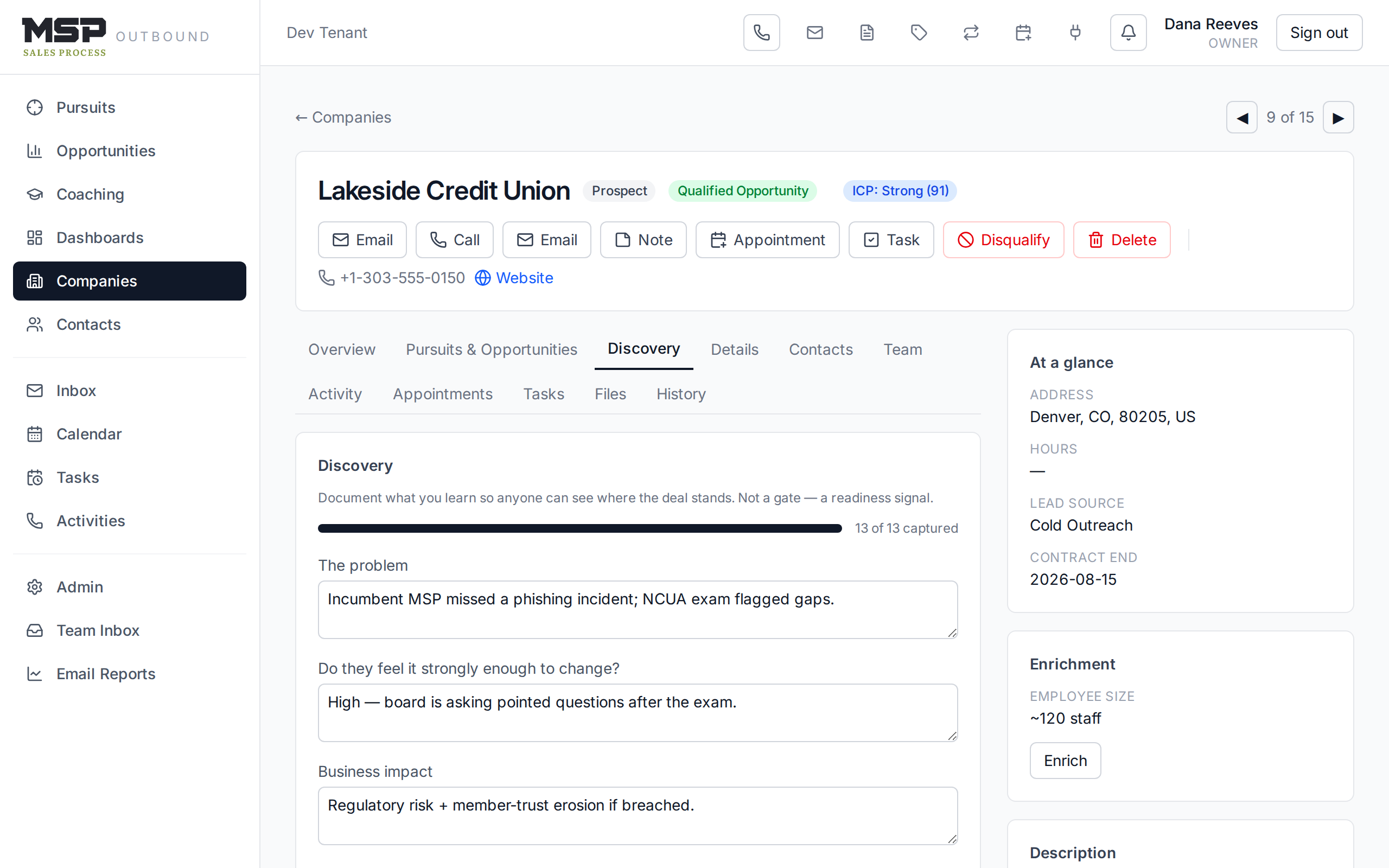
Figure 9.3Discovery capture. It's a readiness signal, not a gate — but a thin discovery shows.
The method in the tool
This isn't a form to fill for its own sake — it's the diagnosis from the Switchbacks. Quantify the pain in dollars and hours; name who feels the problem and who fixes it. The fuller the discovery, the stronger your proposal on the Ridgeline.
Closing a deal — always with a reason
When a deal is decided, click Won or Lost in the header (or, on the board, drag the card into the Closed Won or Closed Lost column). Either way the CRM asks for a reason — why did we win? or why did we lose? — and it's required. On a win you can record the final value; a win also flips the company to a Client.
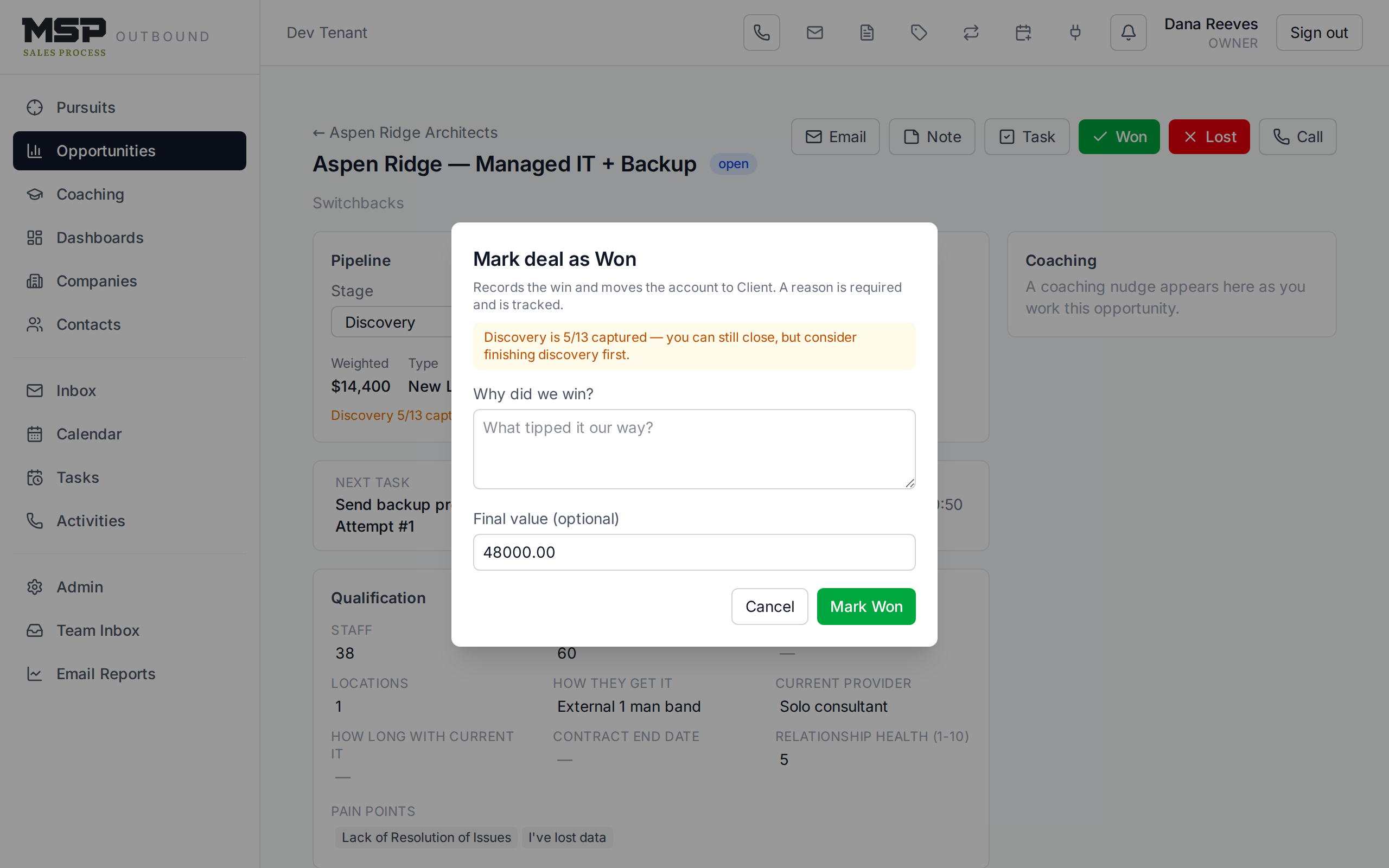
Figure 9.4Closing a deal. The reason is always captured — it's how the team learns what's working.
Good to know
If you close a deal by mistake or it comes back to life, open it and click Reopen — it returns to the Closing stage and clears the close reason. If discovery is thin when you go to close, you'll see a gentle amber note; it never blocks you, but it's worth a second look.
The bottom line
Work the stages; record the outcome.
Move deals through Discovery, Value Proposition, and Closing; capture what you learn; and close every deal with a reason. The forecast view then tells you — and your coach — exactly where the climb stands.