
Section 05 · The Trailhead in the CRM
05Companies & Contacts
The company record is the home base for everything you know about an account — the firmographics, the qualification facts, the people, and every call, email, and note. This section tours that record, shows you where the qualification fields live, and explains the Decision-Making Matrix where you track the people who matter.
The company record, tab by tab
Open any company and you'll see a row of tabs. Here's what each holds:
| Tab | What's there |
|---|---|
| Overview | The gate status, qualification summary, next task, and coaching — your at-a-glance view. |
| Pursuits & Opportunities | The active plays and any deals on this account. |
| Discovery | What you've learned in discovery (appears once an FTA is booked). |
| Details | Editable firmographics — address, industry, hours, socials, tags. |
| Contacts | The Decision-Making Matrix (see below). |
| Team | Who at your company owns and collaborates on this account. |
| Activity | Every call, email, note, and meeting, newest first. |
| Appointments | Scheduled meetings, including the FTA. |
| Tasks | Your to-dos for this account. |
| Files | Proposals, contracts, and other documents. |
| History | An audit trail of who changed what, and when. |
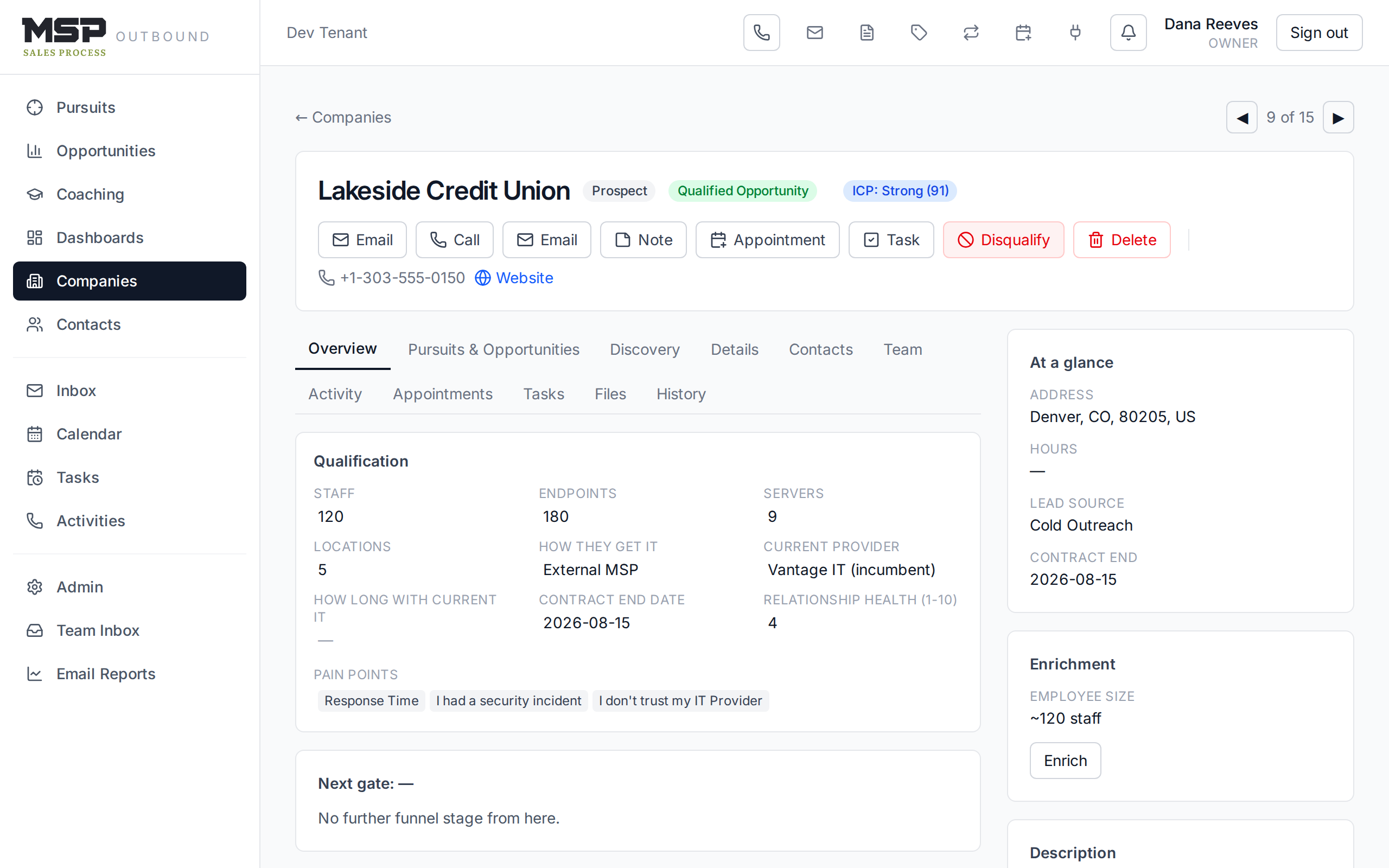
Figure 5.1A company's Overview tab. The header shows the stage, the mountain zone, and the ICP-fit badge.
The header and the action buttons
Across the top of every company record are the actions you take most: Call, Email, Note, Appointment, Task, and Disqualify. The badges beside the name tell you the company type, the funnel stage, the mountain zone, and how well the account fits your ideal profile (the ICP badge).
The Details tab — firmographics
Click Edit on the Details tab to update the address, industry, phone, website, hours, description, tags, and social profiles. These are the facts that feed the first gate (industry, location, size).
The Qualification panel
On the Overview tab (and on any deal or pursuit) sits the Qualification panel — the fields you fill as you learn them on the phone: staff, endpoints, servers, locations, how they get IT, their current provider, how long they've had them, the contract end date, the relationship health (1–10), and their pain points. You can edit these right in place.
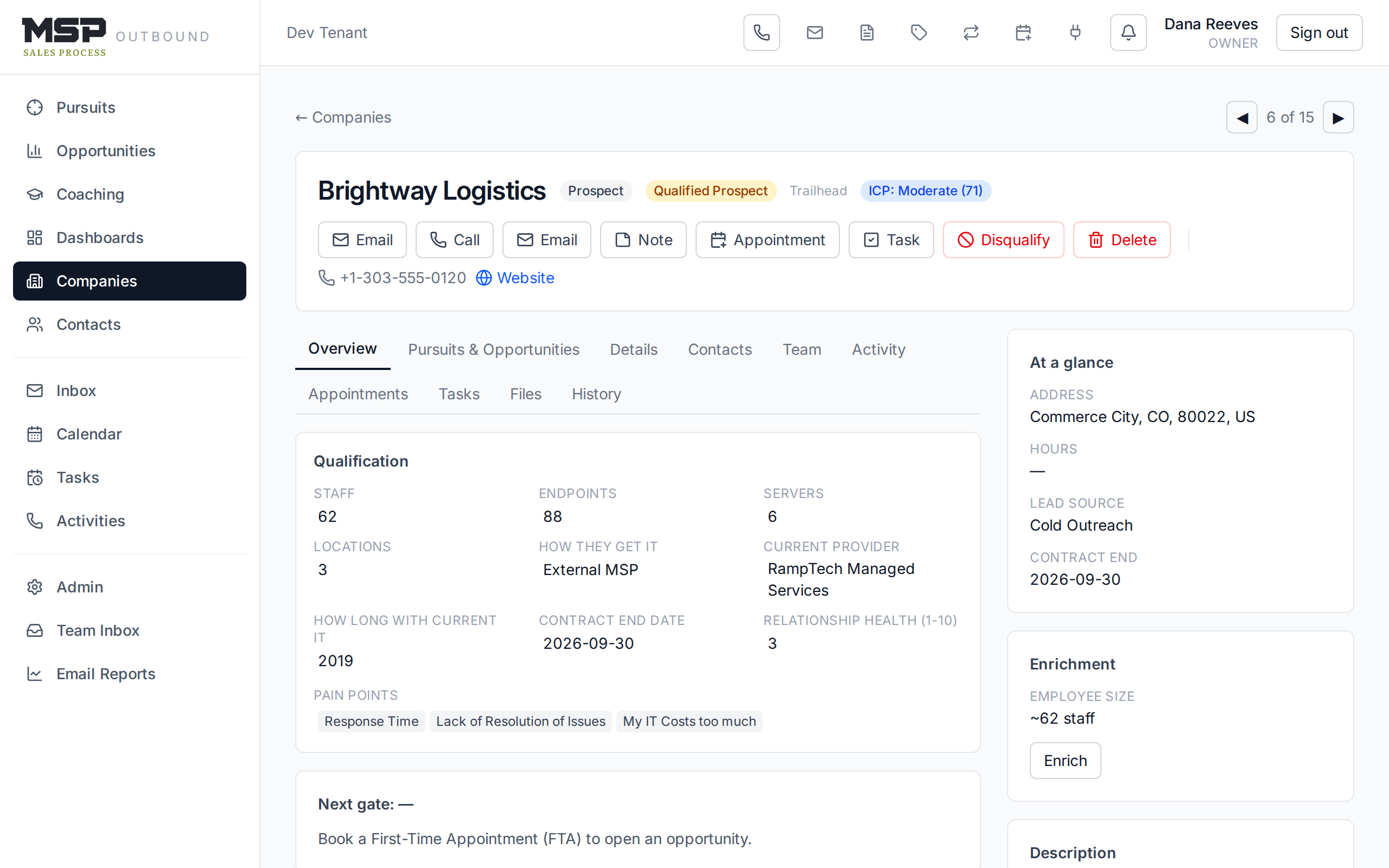
Figure 5.2The Qualification panel. Filling these is how a Prospect becomes a Qualified Prospect.
The method in the tool
These fields follow the qualification ladder exactly: how they get IT → how long → rate it 1–10 → what would move it one point → team size → and do they all use computers. Pain points are the gold — capture them in their words.
The Contacts tab — the Decision-Making Matrix
The Contacts tab is titled Decision-Making Matrix because it's not just a list of names — it's a map of who matters and how they feel. For each person you track three things:
- Role — Decision Maker, Influencer, Gatekeeper, or Unknown.
- Attitude — Friendly, Neutral, or Hostile toward you.
- Influence — Minor, Major, or Decisive over the decision.
Add a contact with the row at the bottom: name, title, email, phone, LinkedIn, and role. To reach someone, use the Call or Email buttons in the company header, or open the Contacts list (in the left navigation), where each row has one-click call and email icons.
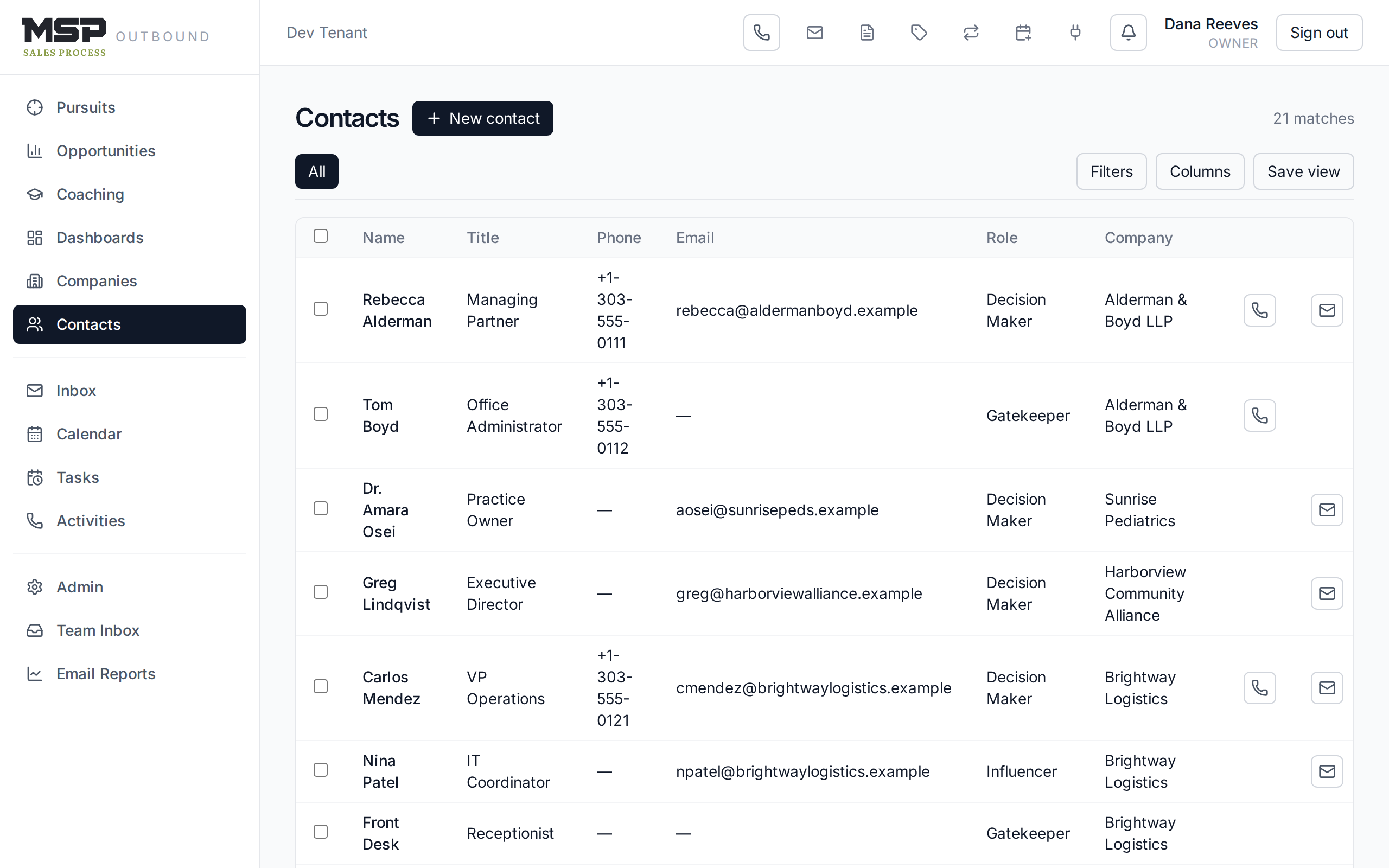
Figure 5.3The Decision-Making Matrix. A known decision maker with a title is required to reach Qualified Prospect.
Good to know
A single contact marked as the Decision Maker, with a title filled in, is what satisfies the "decision maker known" part of the qualification gate. Keep attitude and influence current — they're what your coach and your future self read to plan the next move.
The Enrichment card
On the record's sidebar, the Enrichment card shows what the system found automatically about the company — employee size band, whether they're hiring IT (a buy signal), and links to their LinkedIn and job postings. Click Enrich to refresh it. It's a research assistant, not a replacement for what you learn on the phone.
The bottom line
One record, everything you know.
The company record holds the facts, the people, and the history. Keep the Qualification panel and the Decision-Making Matrix current, and the account is always ready for its next step.